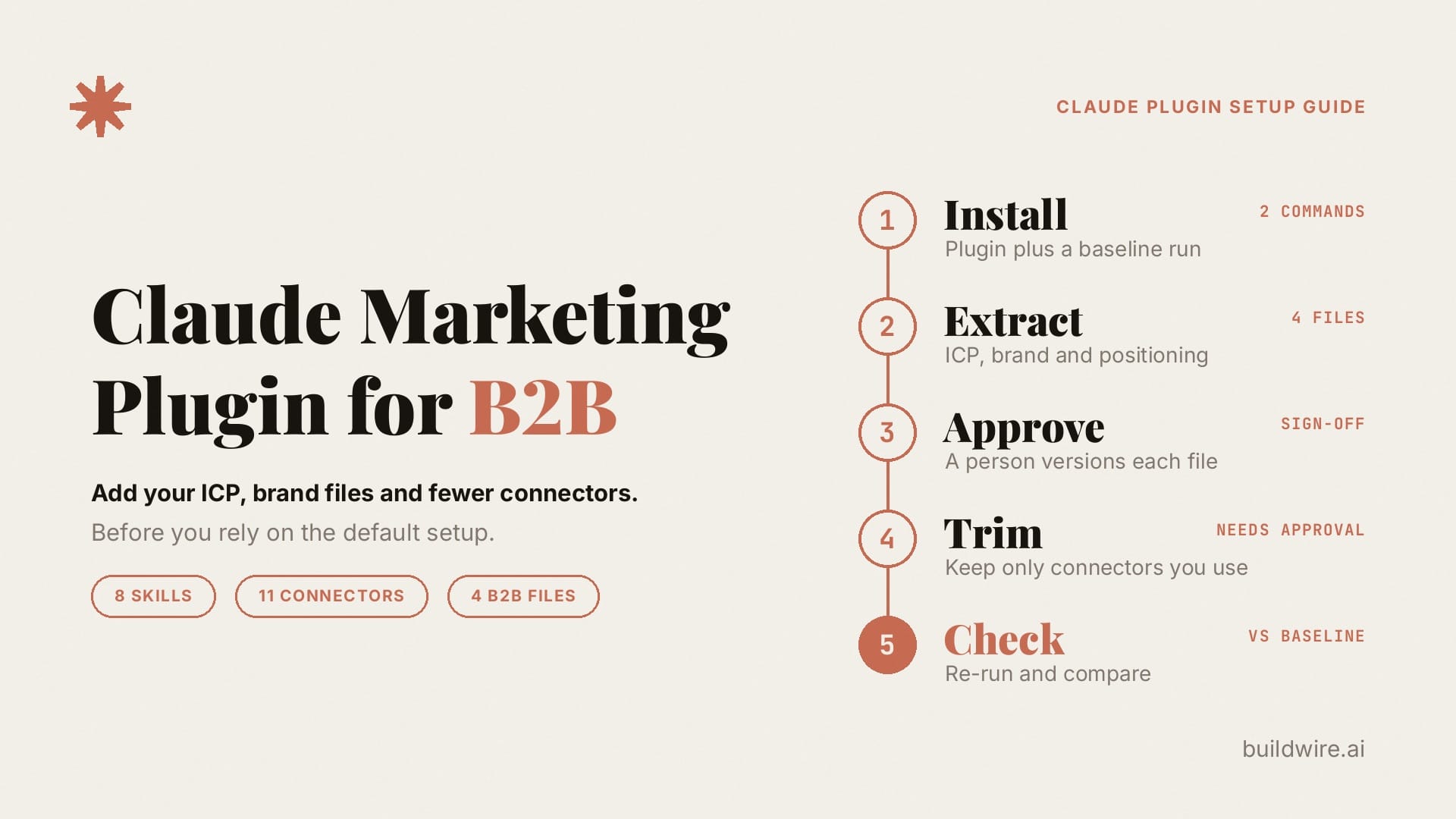
Anthropic's Claude marketing plugin gives you eight ready-made marketing skills and eleven connector URLs plus two empty placeholders. It does not know your buyers, your voice or which tools your team trusts. For B2B work, install it, then add four files and a short connector list before you rely on it.
The plugin is a good starting point. It ships repeatable procedures for drafts, campaign plans, brand review, competitive briefs, SEO audits, email sequences and performance reports. What it cannot ship is your ideal customer profile, your approved voice, or a safe list of the CRM and SEO tools the agent may touch. That is the B2B layer, and this guide shows how to add it in six steps.
What is the Claude marketing plugin?
The Claude marketing plugin is Anthropic's open-source bundle of marketing skills and connector settings for Claude. It lives in the marketing folder of the anthropics/knowledge-work-plugins repository on GitHub, sits at version 1.2.0 as of October 7, 2026, and uses the Apache 2.0 license. Its README says it is designed mainly for Claude Cowork and also works in Claude Code. The listing is on the Claude marketplace.
Anthropic introduced plugins for Cowork in its January 30, 2026 announcement. According to the Claude Help Center, plugins are available on all paid plans (Pro, Max, Team and Enterprise), and each one bundles skills, connectors and sub-agents into a single package.
If you are new to plugins, our guide to Claude Cowork plugins covers the basics, including how to pick a working folder and find each plugin's slash commands.
What is inside the Claude marketing plugin?
Two terms help here. A skill is a folder with a SKILL.md file of instructions that Claude loads when the task calls for it. A connector is an MCP server that lets Claude read from, or act in, another tool such as HubSpot or Ahrefs.
Check the repository tree as well as the README. The skills folder holds eight skills:
- draft-content writes blog posts, social posts, newsletters, landing pages, press releases and case studies.
- campaign-plan sets objectives, audience, calendar and metrics.
- brand-review checks voice, terminology and claims.
- competitive-brief compares positioning and messaging.
- performance-report summarizes metrics, trends and next steps.
- seo-audit covers keywords, on-page issues, gaps and technical checks.
- email-sequence builds multi-email flows with timing and exit rules.
- content-creation holds background templates. Its frontmatter sets user-invocable to false, so you cannot call it with a slash command.
Seven of the eight run as slash commands, such as /campaign-plan and /seo-audit. The README still lists seven commands and a different set of five skills. The tree is the current source of truth.
Next to the skills sits a .mcp.json file with thirteen entries, eleven of which have URLs: Slack, Canva, Figma, HubSpot, Amplitude (plus a separate EU Amplitude server), Notion, Ahrefs, Similarweb, Klaviyo and Supermetrics. Gmail and Calendar entries also appear with empty URLs. The skills refer to tools by category rather than by product name. For example, seo-audit says "If ~~SEO tools are connected", so whichever SEO tool you connect fills that slot.
Why does the Claude marketing plugin need B2B files?
The skills are written to work for any company. Without your files, each command falls back to generic defaults:
- brand-review asks about your guidelines, and if you have none, the README says it provides "a generic review for clarity, consistency, and professionalism."
- campaign-plan and seo-audit work from the audience you describe in that chat, so two people on the same team can get two different target buyers.
- competitive-brief compares messaging without knowing which buyers you have decided not to chase.
The plugin is doing what it was built to do. B2B work goes wrong when nobody hands it your files.
Connectors are the second gap. Anthropic's connector documentation describes Auto and On demand loading modes and suggests On demand when many connectors are enabled. Start with the tools the task needs rather than connecting the full list.
How to set up the Claude marketing plugin for B2B: six steps
Step 1: Install the plugin and save a baseline
In Claude Cowork, open the Plugins browser and add Marketing. In Claude Code, run:
claude plugin marketplace add anthropics/knowledge-work-plugins
claude plugin install marketing@knowledge-work-plugins
Then run one /seo-audit and one /campaign-plan with no custom files. Save both outputs. You will compare against them in step 6.
Step 2: Extract the B2B files
Build four Markdown files from evidence you already hold:
- icp.md: run ICP Research on your closed-won deals to get a positive ICP and a scoring matrix.
- brand-dna.md: run Brand DNA Extractor on your site, sales decks and best posts.
- brand-voice.md: turn the voice half into rules with Brand Voice Guidelines Creator.
- positioning.md: use Positioning Gap Finder to record what you own and which buyers you are not for.
Add a negative ICP when these files guide prospecting. This is the same extract-and-approve pattern as Brand DNA, applied to ICP, positioning and voice together.
Step 3: Have a person approve and version each file
A draft file is easy for an agent to drift past. A person signs off on the ICP and brand files and adds a version number and a date to each one. Store the files where the skills can read them, such as a repository path, a Notion page or the plugin folder. Until then, brand-review is working from a guess.
Step 4: Cut the connector list to what you will use
Copy the marketing folder into your own plugin so your edits survive updates. Delete every .mcp.json entry you will not authorize this quarter. A two-person team might keep three: Notion for briefs, Ahrefs for SEO and Slack for handoffs.
Two Claude settings help here. Connectors inherit each person's permissions from the connected tool, and on Team and Enterprise plans, organization owners can set connector actions to Always allow, Needs approval or Blocked, as described in the Help Center article on using connectors. Set every write or send action to Needs approval until a person expects that write. The Help Center also warns that a plugin's local MCP servers run with the same permissions as any other program on your computer, so install plugins only from sources you trust.
Step 5: Add a brief and a handoff to each command
Before /campaign-plan, /seo-audit or /draft-content runs, load the approved files and ask for the same five-part output every time:
| Part | What it contains |
|---|---|
| Brief | Goal, ICP segment, offer, constraints and success metric |
| Sources used | Which brand and ICP files were loaded, and which connector reads ran |
| Draft or plan | The plugin skill's own output |
| Handoff | Owner, due date, channels, assets and open questions |
| Risks | Claims that need proof, segments outside the ICP, connectors that failed |
Content Brief Generator and Brief Compressor, both in the BuildWire Claude Skills library, turn a long audit into something a writer or media buyer can schedule. GTM Strategy Builder helps when the campaign goal itself is unclear.
The plugin's /seo-audit still does the audit. The brief makes it work from your ICP, and the handoff turns the output into a task with an owner.
Step 6: Re-run, compare, then check every draft
Re-run the same /seo-audit and /campaign-plan with the files loaded, and compare the outputs with your step 1 baseline. If the audience and voice did not change, the files are not loading, so fix the file paths before you add more skills.
Then run Brand Voice Enforcer on drafts from /draft-content and /email-sequence, and keep brand-review in the chain. According to its skill file, brand-review always checks for "Unsubstantiated claims" and "Missing disclaimers." Brand Voice Enforcer scores against your approved file. Neither one publishes anything, and sends or CRM writes stay behind Needs approval.
The B2B layer at a glance
| Job | Plugin default | B2B layer you add |
|---|---|---|
| Who we sell to | Audience described in each chat | Approved icp.md from ICP Research |
| How we sound | brand-review, if a guide exists | Brand DNA, voice rules and Brand Voice Enforcer |
| Who we are not for | General competitive brief | positioning.md from Positioning Gap Finder |
| What to write next | /seo-audit and /draft-content | The same commands, wrapped in a brief and handoff |
| Which tools touch data | Thirteen .mcp.json entries, eleven with URLs | A short list, with writes set to Needs approval |
| Campaign shape | /campaign-plan | GTM Strategy Builder first when the goal is unclear |
Install the plugin first and add the B2B layer second. Rebuilding eight skills that only rename /campaign-plan adds work without adding your context.
What are the limits of the Claude marketing plugin?
- The README and the skills folder disagree on what the plugin contains. Trust the folder.
- A .mcp.json entry only reserves a slot, and Claude gets access only after someone authorizes the connector. Entries with empty URLs, such as Gmail and Calendar, and connectors you have not authorized leave the skill to work from pasted text or web search.
- Our Skills do not replace Ahrefs, HubSpot or Klaviyo. They produce the files and procedures that let an agent use those tools without guessing your ICP.
- This guide assumes you already use Claude Skills. If you are still choosing where your automation should live, start with our comparison of n8n, Claude Code and Claude Skills on the BuildWire blog.
How we checked this guide
The plugin metadata, skills folder, .mcp.json configuration, README and Anthropic's Help Center were checked on October 7, 2026. Connector counts distinguish configured URLs from empty placeholders. Spot an error? Contact us, or read more about BuildWire.
If you want this setup built and maintained for your team, book a call and tell us which marketing jobs you want the plugin to take on first.
Want the marketing agent setups we build every week, written up like this one? Subscribe to The AI Driven Marketer newsletter, and follow along as we turn slow marketing jobs into short ones.
Frequently asked questions
Is the Claude marketing plugin free?
The plugin itself is open source under the Apache 2.0 license, so you can read, copy and change it at no cost. Using plugins inside Claude requires a paid plan: Pro, Max, Team or Enterprise.
Does the Claude marketing plugin work in Claude Code?
Yes. Its README says it is designed mainly for Claude Cowork and also works in Claude Code. You can install it in Claude Code with the claude plugin commands in step 1.
Do I need extra skills if the plugin already has brand-review?
Only if you do not yet have an approved brand and ICP file. brand-review checks drafts against the guide you supply. ICP Research, Brand DNA Extractor and Brand Voice Guidelines Creator help you build that guide first, and Brand Voice Enforcer scores every draft against it.
Should I connect every MCP server in the marketing plugin?
No. Start with the few connectors this week's work needs, and set write actions to Needs approval. Connector loading and context use depend on the client and configuration. Anthropic provides Auto and On demand loading modes.
What if our brand guidelines are a PDF in Google Drive?
Extract the PDF with Brand DNA Extractor, approve a Markdown or Notion version, and point the skills at that file. Then you can drop the step where someone pastes the brand guidelines into every prompt.
Last reviewed 7 October 2026. Linked references checked on 7 October 2026. Workflows need human review before production use.
