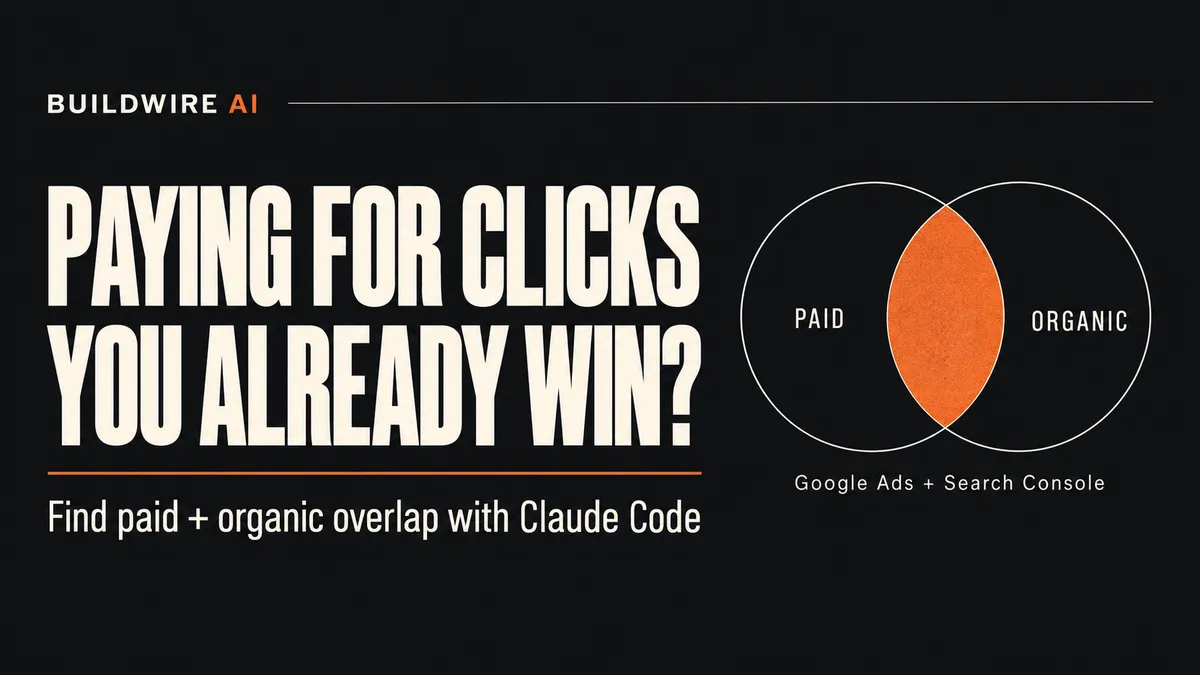
Match paid search terms with Search Console queries averaging position 3 or better, then test selected non-brand terms before reducing spend. Claude Code can join the reports through read-only MCP servers. The overlap identifies candidates for investigation, not proven wasted budget.
The problem
You may pay for an ad click on a query where your site already appears near the top organically. Some visitors might have clicked your organic result without that ad. Others might choose a competitor instead. The overlap report cannot tell you which outcome will occur.
Google Ads search terms are the searches that triggered your ads, rather than the keywords you selected for targeting. Google's search terms documentation explains the distinction. Search Console average position measures the average position of your site's top result for a query or grouping, according to its performance report documentation.
MCP is the connection protocol Claude Code uses to call tools exposed by servers. See Claude Code's MCP guide. If those layers are unfamiliar, our Skills, MCP and plugins guide explains their roles.
What you need before you start
- Claude Code installed, plus permission under your organization's policy to add local MCP servers.
- A Google Cloud project with the Google Ads API enabled and production API access, plus OAuth credentials for an authorized Ads user.
- Search Console access to the relevant property. Owner or full-user access meets this guide's starting assumptions.
- Python, pipx, uv and the Google Cloud CLI for the setup below. Use their official installation instructions.
- The Ads customer ID, Search Console property, account currency, brand names and reporting market you intend to compare.
Credential update: Google's current MCP integration guide says developer tokens were retired on September 9, 2026. The latest server uses API access attached to your Cloud project. Older instructions may still mention a token. Setup still requires OAuth, project access and Search Console permissions.
These macOS/Linux commands use capitalized placeholders. Keep credential files outside the project and out of chat.
Step 1. Connect the Google Ads MCP server
Google publishes googleads/google-ads-mcp. Its current integration guide describes a read-only server: it cannot pause campaigns or change bids.
- Enable the Google Ads API in your Cloud project. Confirm Explorer, Basic or Standard access for production accounts.
- Create an OAuth desktop client and download its client JSON. Authenticate a user who can access the Ads account.
- Create Application Default Credentials using the command below. Keep the saved credential path printed by the command.
gcloud auth application-default login \
  --scopes=https://www.googleapis.com/auth/adwords,https://www.googleapis.com/auth/cloud-platform \
  --client-id-file=/ABSOLUTE/PATH/oauth-client.json
This follows the repository's Application Default Credentials setup. Install pipx and the Google Cloud CLI if needed.
- Register the server with Claude Code:
claude mcp add --transport stdio google-ads \
  --env GOOGLE_PROJECT_ID=YOUR_PROJECT_ID \
  --env GOOGLE_APPLICATION_CREDENTIALS=/ABSOLUTE/PATH/adc.json \
  -- pipx run --spec git+https://github.com/googleads/google-ads-mcp.git google-ads-mcp
The launch command and environment names come from Google's integration guide. Claude's documentation supplies the registration syntax. Manager-account access may also need GOOGLE_ADS_LOGIN_CUSTOMER_ID.
Run claude mcp get google-ads, then ask Claude to list accessible accounts without making changes. Confirm the customer ID before querying spend. For team use, record the server revision you reviewed.
Step 2. Connect a Search Console MCP server
The two implementations below are community projects. Neither is presented here as Google's official Search Console MCP server.
| Server | Authentication | Read-only status |
|---|---|---|
| jurgisgavenas/search-console-mcp | OAuth credentials or a service-account key | Maintainer documents read tools and the webmasters.readonly scope. |
| AminForou/mcp-gsc | OAuth or service account | Includes sitemap submission and deletion, so it is not read-only as a whole. |
For this narrow check, we suggest the first option because it limits the tool surface to reading. This is a scope-based choice, not a security certification. Review its source, dependencies and permissions before connecting client data.
Enable the Search Console API and create an OAuth desktop client. Download its JSON. Install uv, then obtain the repository so its token helper is available:
git clone https://github.com/jurgisgavenas/search-console-mcp.git
cd search-console-mcp
uv run --with google-auth-oauthlib python scripts/mint_token.py \
  --client-secrets /ABSOLUTE/PATH/gsc-oauth-client.json \
  --output /ABSOLUTE/PATH/gsc-readonly-credentials.json
The repository's token helper requests the read-only scope. Complete the browser login with your authorized Google account. Return to the project where you use Claude Code, then register:
claude mcp add --transport stdio search-console \
  --env GOOGLE_APPLICATION_CREDENTIALS=/ABSOLUTE/PATH/gsc-readonly-credentials.json \
  -- uvx --from search-console-mcp search-console-mcp
Run claude mcp get search-console. Ask Claude to list properties and confirm the exact property identifier, such as sc-domain:example.com. Google documents these identifiers in the Search Analytics API.
Step 3. Run the overlap prompt in Claude Code
First give Claude the account ID, property, brand spellings and intended country. Choose the latest 28-day window with complete data in both systems, and record explicit start and end dates.
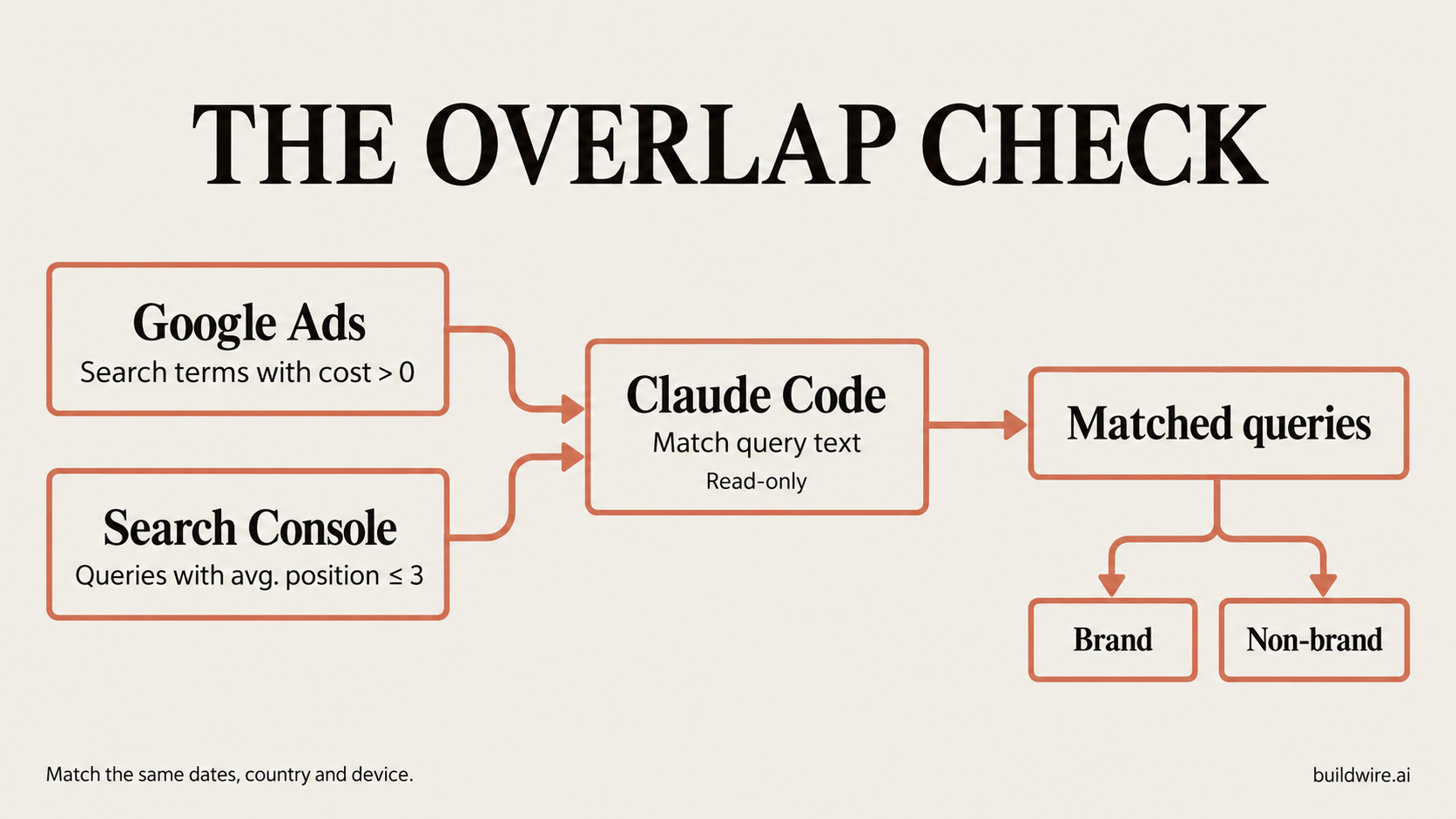
Use Google Search traffic for the comparison, excluding search partners and non-search inventory where possible. Keep device and country filters aligned. Search Console dates use Pacific Time, which may differ from your Ads account timezone. Record that boundary difference rather than claiming exact daily alignment.
Using the Google Ads MCP and the Search Console MCP, read-only, for the last 28 days:
1. List search terms with cost above zero.
2. List Search Console queries with an average position of 3 or better.
3. Match the two lists on query text.
4. For each match, show ad cost, ad clicks, ad conversions, organic position and organic clicks.
5. Split the matches into brand and non-brand terms, with totals.
Do not change anything in either account.
Check one number by hand. Compare total ad cost for the same 28 days with the Google Ads report before trusting the output. Separately reconcile the search-term subset: Google omits some low-activity queries, so its visible rows need not equal total spend. Request both totals and label the difference.
Query text may not match exactly. Plurals and word order can split related searches into separate rows. Begin with exact matching after trimming whitespace and normalizing case. Keep suggested variant groups separate for human review.
Ask Claude to sum paid metrics across duplicate campaign rows before joining. A single query appearing in several campaigns must not multiply its organic clicks. Preserve missing data as missing, convert Ads cost micros to the account currency, and report row limits or incomplete pagination. Google's API notes that Search Console does not guarantee all query rows.
Step 4. Read the result
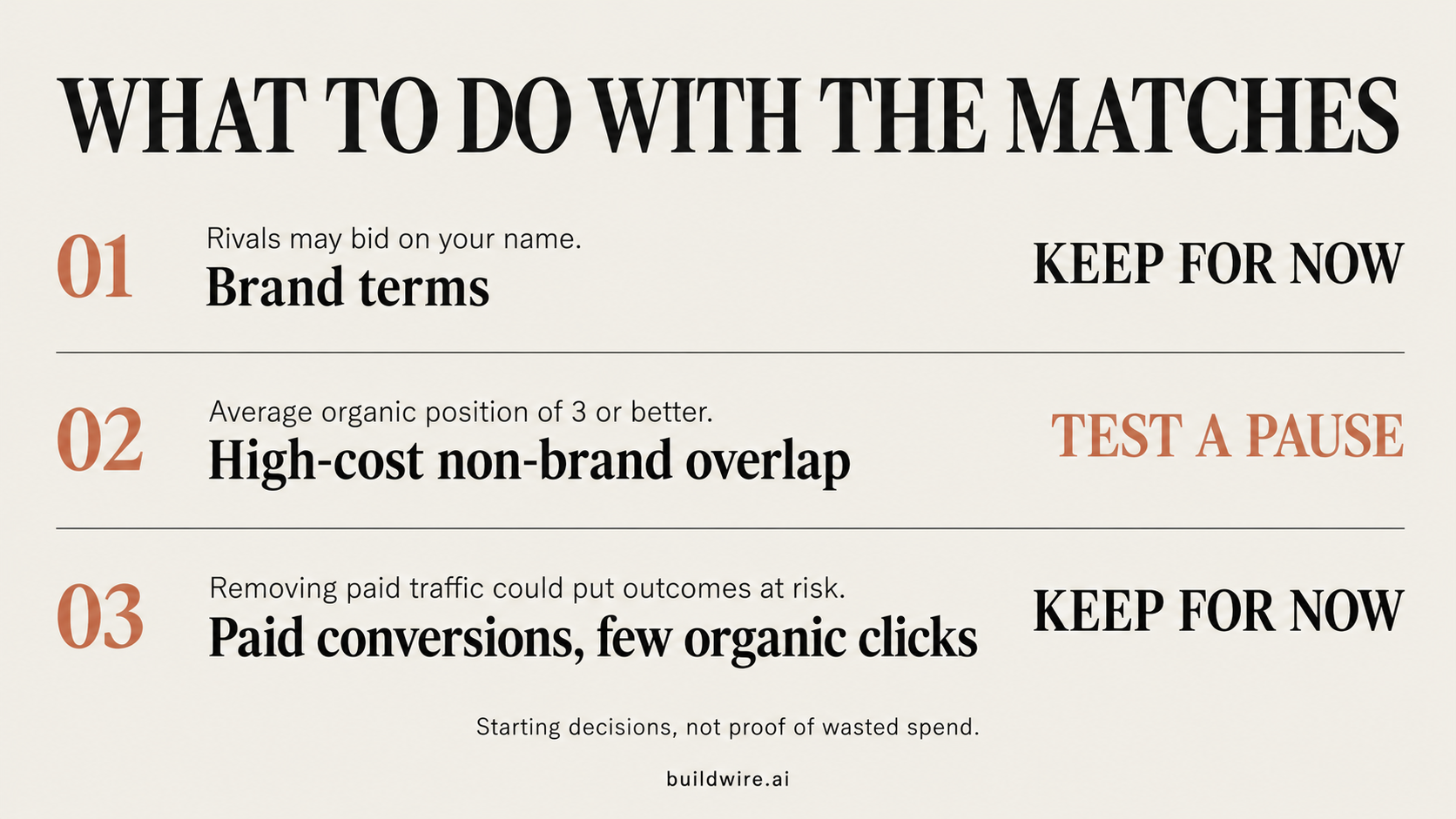
Use this as a screening rule. Ranking and conversions describe observed activity, not what would have happened without an ad.
| What you see | Starting decision | Reason |
|---|---|---|
| Brand terms | Keep for now | Rivals may bid on your name. Brand tests need a separate plan. |
| Non-brand terms averaging top 3 with high ad cost | Test a pause | There may be overlap worth investigating. |
| Paid conversions with few organic clicks | Keep for now | Removing paid traffic could put those outcomes at risk. |
Example data. All numbers below are invented for illustration. They are not BuildWire or client results. Cost is shown in INR for this example only.
| Query | Group | Ad cost | Ad clicks | Ad conversions | Avg. organic position | Organic clicks |
|---|---|---|---|---|---|---|
| yourbrand login | Brand | ₹1,200 | 120 | 4 | 1.0 | 600 |
| yourbrand pricing | Brand | ₹2,400 | 80 | 8 | 1.2 | 180 |
| crm pricing | Non-brand | ₹12,000 | 150 | 3 | 2.1 | 220 |
| crm for small teams | Non-brand | ₹9,000 | 100 | 2 | 2.7 | 160 |
| sales pipeline software | Non-brand | ₹8,000 | 80 | 9 | 2.8 | 12 |
The invented brand rows total ₹3,600, 200 paid clicks, 12 paid conversions and 780 organic clicks. Non-brand rows total ₹29,000, 330 paid clicks, 14 paid conversions and 392 organic clicks. We do not add position values.
“crm pricing” and “crm for small teams” are possible test candidates. The last row has little organic traffic and more paid conversions, so the conservative starting choice is to keep it running.
Step 5. Run the pause test
This is a proposed test design, not a method we have measured on a client account.
- Pick three to five high-cost non-brand candidates with enough activity to evaluate. Set an acceptable loss in qualified leads or revenue before starting. Agree who can stop the test.
- Record paid and organic clicks for each query over the previous two to four weeks. Save paid conversions separately. Use your analytics or CRM for business outcomes across the relevant landing pages or market. Search Console does not supply organic conversions by query.
- Have the account owner stop paid eligibility for the selected queries for two to four weeks. Search terms are reported searches, not directly pausable objects. Depending on the account, reviewed exact-match negatives across eligible campaigns may be needed. Pausing one keyword may leave other keywords serving the query. Google's negative keyword rules explain match behavior and variant limits.
- Compare paid plus organic clicks for the selected queries across equal-length windows with the same weekdays. Separately compare qualified leads, revenue or another agreed business metric using one consistent measurement source. Allow the usual conversion delay before judging.
- If clicks and business outcomes hold within the agreed tolerance, consider keeping the exclusions and moving the budget. If outcomes drop past the stop rule, restore eligibility. Sparse or conflicting data means the result is inconclusive.
A sum of paid and organic clicks is a traffic count, not a count of unique people. Do not add Google Ads conversions to analytics conversions without checking whether they count the same event twice.
Seasonality, competitor bids, promotions and site changes can affect the result. Choose a stable period and leave other settings unchanged. Where feasible, retain a comparable untreated group or use a controlled experiment. A simple before-and-after result cannot isolate the ad's causal effect.
Limits
- A top-3 organic average cannot guarantee that clicks stay after an ad stops. Positions also vary across searches.
- Search Console hides some queries. Google explains why query rows and totals can differ. The match is partial.
- Query variants, timezones, markets and device mix can distort comparisons.
- MCP setup takes time. The Search Console server here is community-built, and reading data still exposes it to the connected AI system.
- The check reads data only. A person reviews and applies account changes. A read-only sentence in a prompt does not replace server and account permissions.
For Performance Max, Google documents campaign-level search-term reporting. Its wider inventory needs a separate test design.
How we checked this guide
We checked vendor documentation and the named repositories on October 29, 2026. We did not connect a live Ads account, run these commands with customer credentials, or conduct a pause test. The setup is documentation-checked, not an end-to-end account test.
For broader account checks, see our paid advertising Skills pack. BuildWire's performance marketing service covers ad audits and reporting. You can also follow related work through the newsletter.
What would make this comparison useful for your account? You can share the gap through our contact page.
Frequently asked questions
Should I stop bidding on my brand name?
Not based on this report alone. Keep brand terms out of the first test. Competitor activity, message control and business outcomes need separate review before a brand test.
How long should the pause test run?
Two to four weeks is a planning window, not a guarantee of enough evidence. Low volume, long sales cycles or conversion delays may require longer. Use a stop rule and call an uncertain result inconclusive.
Does this work for Performance Max?
Partly. Google documents campaign_search_term_view for Search and Performance Max search-term reporting. Performance Max also spans other inventory, so this guide's Search pause design should not be applied to an entire Performance Max campaign.
Is the MCP setup safe for a client account?
Read-only tools reduce account-change risk but still disclose account data to the connected AI system. Obtain the client's permission, review server code and scopes, and use approved accounts and data handling policies. We have not performed a security audit of these servers.
Can Search Console show organic conversions for each query?
No. Search Analytics provides clicks, impressions, click-through rate and position. Use a consistent analytics or CRM measure for business outcomes, and state that this cannot prove organic conversions for each hidden search query.
Last reviewed 29 October 2026. Source documentation checked on this date. No live account connection or pause test was performed.