Clay's new Claude Skills marketplace puts community-built GTM Skills one install away from Claude Code, Codex, and Cursor. A team can try a new play the same afternoon it finds one. The same speed means a stranger's play, a stranger's thresholds, and sometimes a vendor's credit meter can reach your account list before anyone on your team has read the file.
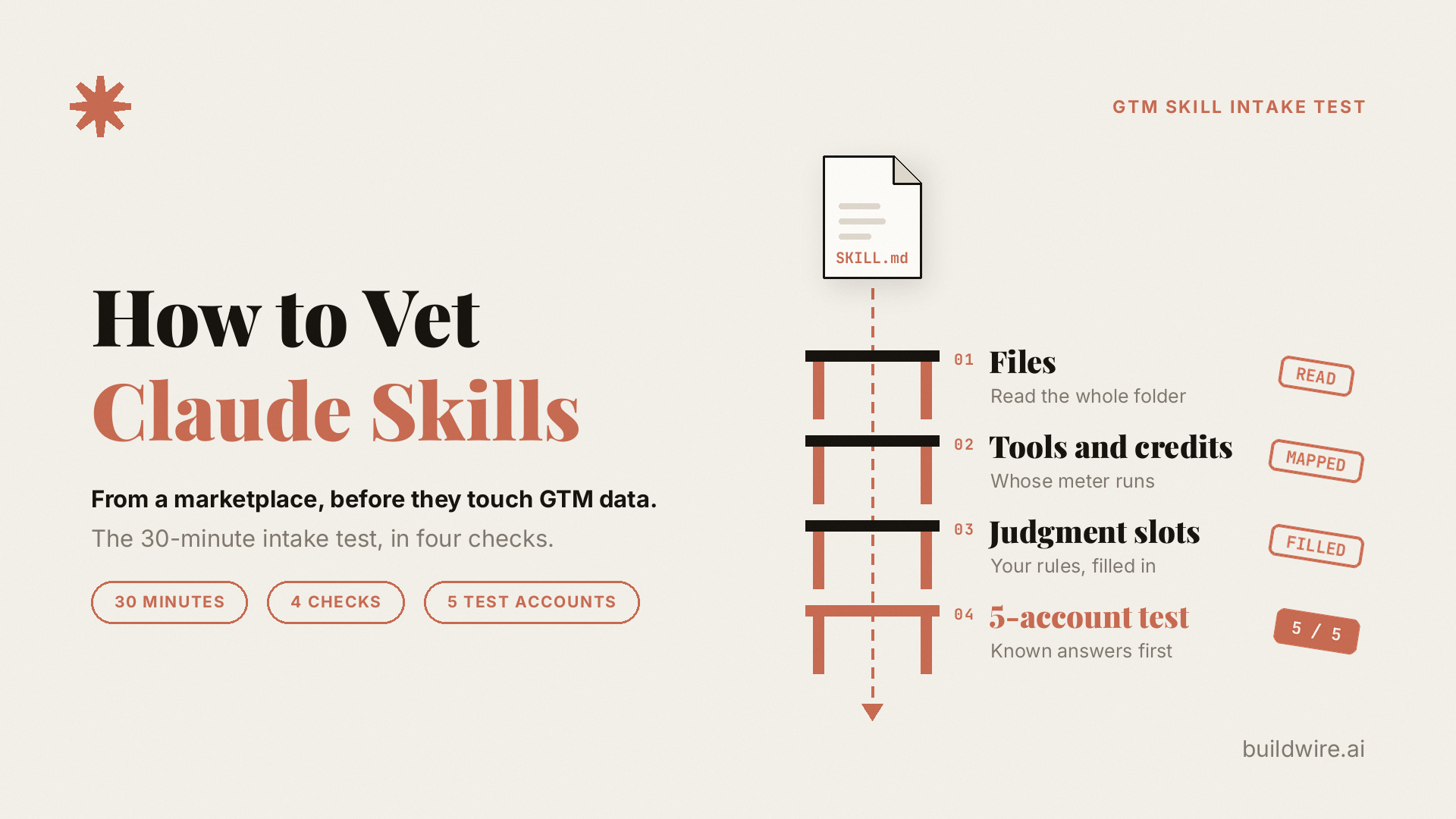
Key takeaway: A Skill intake test is a 30-minute review you run before a third-party Claude Skill touches real data. It has four checks. First, read every file in the Skill folder. Second, map each tool call and whose credits it spends. Third, replace the Skill's built-in judgment calls with your own rules. Fourth, run it on five accounts where you already know the right answer. A Skill that scores five out of five on fit and suppression gets forked into your own folder. Anything less goes back for fixes or gets deleted.
Why do marketplace GTM Skills need vetting now?
On September 29, 2026, Clay launched its Skills Marketplace. The launch post calls it "a place to find skills built by the Clay community, free to install and ready to run in Claude Code, Codex, or Cursor." When we checked the catalog on October 12, it listed 41 GTM Skills from 14 contributors. Clay's launch post on X said anyone can submit a Skill, and only the strongest get published.
Writing a play down as a Skill is a good habit, because the agent reuses it on every task that matches. Two details still deserve a closer look before the first run.
The first is cost. DailyRevOps reported on October 2 that "the skills are free to install; Clay says runs that pull its data consume the account's Clay credits." Free to install and free to run are different line items.
The second is control. The same DailyRevOps piece framed the open question well: "The RevOps question is which data connections and decisions a reusable skill is allowed to carry into a live workflow."
Anthropic's own guidance points the same direction. Its Agent Skills documentation says to "use Skills only from trusted sources: those you created yourself or obtained from Anthropic." For any other Skill, the docs say to "review all files bundled in the Skill: SKILL.md, scripts, images, and other resources." A marketplace Skill falls outside that trusted list until someone on your team has done the review. For a GTM team, Claude Skills security comes down to two questions: what the Skill can touch, and whose rules it follows when it decides.
How risky are third-party Claude Skills?
Independent research on open Skill registries gives a useful baseline. These studies looked at community registries such as skills.rest and skillsmp.com, which publish Skills without a security review. Clay curates its catalog, so these numbers describe the wider market and say nothing specific about Clay's Skills.
| Study (arXiv preprint, 2026) | Sample | Main result |
|---|---|---|
| Agent Skills in the Wild, January | 31,132 Skills from two marketplaces | 26.1% contained at least one vulnerability pattern. Skills that bundle scripts were 2.12 times more likely to have one (arXiv 2601.10338, 2026). |
| Malicious Agent Skills in the Wild, February | 98,380 Skills from two registries | 157 Skills confirmed malicious. 84.2% of their vulnerabilities sat in SKILL.md files and 8.5% in executable code (arXiv 2602.06547, 2026). |
| Context Matters, March | 238,180 Skills from three platforms and GitHub | Automated scanners flagged up to 46.8% of Skills, but only 0.52% of flagged Skills stayed suspicious once the surrounding GitHub repository was checked (arXiv 2603.16572, 2026). |
The research supports two parts of the intake test. First, the instructions in SKILL.md carry most of the risk, so reading the markdown matters as much as reading the scripts. Second, a flag from an automated scanner needs a human read before anyone deletes a useful Skill. The March study also found Skills exposed through abandoned GitHub repositories, which is one more reason to pin the exact version you reviewed.
How do you check if a Claude Skill is safe to run?
You vet a Claude Skill by reviewing it as code and as strategy before it runs on real accounts. Block 30 minutes on the calendar before the first run. The four checks below take about seven minutes each, plus a couple of minutes to write down the result.
| Check | Question it answers | What you write down | Fail signal |
|---|---|---|---|
| 1. Files | What is in the folder? | Every file and what it does | A file you cannot explain |
| 2. Tools and credits | Where does it run, and who pays? | One line per tool call: read or write, and whose meter | A write step with no review, or a meter with no cap |
| 3. Judgment slots | Which decisions does it make for you? | Each decision point and your replacement rule | The author's defaults still in place |
| 4. Five-account test | Does it get known cases right? | Expected answer versus Skill output | Any miss on fit or suppression |
Check 1: What is in every file of the Skill?
The marketplace listing is a summary written by the author, so review the folder itself. Start by downloading or cloning it, then list everything inside: SKILL.md, any scripts, reference files, templates, the license, and hidden files. Then read with three questions in mind.
- What does the description trigger on? Anthropic's docs say the description "is what Claude matches your request against when determining whether to trigger the Skill." A broad description, such as "use whenever the user mentions accounts, campaigns, or Salesforce," will load the Skill in conversations you never meant it for. Narrow the wording before you install.
- What do the scripts do? A script runs with your agent's access. Look for network calls, file paths outside the Skill folder, and anything that writes to a CRM or sends a message. Anthropic lists "unexpected network calls, file access patterns, or operations that don't match the Skill's stated purpose" as the patterns to watch for.
- What URLs does it fetch? Content pulled from the web can carry instructions of its own. A Skill that reads arbitrary pages and then writes to your CRM stacks two risks in one run.
If nobody on the team can explain what a file does, the Skill fails this check. Running an unknown script to find out what it does is the mistake this test exists to prevent.
Check 2: Where does the Skill run, and whose credits does it spend?
Write one line per tool the Skill calls. Name the connector or CLI, mark it read or write, and name who pays.
| Step in the Skill | Tool it calls | Read or write | Meter |
|---|---|---|---|
| Find accounts | Vendor search through a plugin | Read | Vendor credits |
| Enrich contacts | Vendor enrichment | Read | Vendor credits per row |
| Add to campaign | CRM | Write | Your CRM seats |
| Draft the invite | Claude | Draft only | Your Claude plan |
Example data: an illustrative mapping, not a real marketplace Skill.
Two rules come out of this table. First, every write step switches to "propose" for the first few weeks, so a person approves the change before it lands. We use the same read-only allowlist for Claude Skills on live marketing data. Second, every metered step gets a row cap on its first run: 25 records, well short of a whole segment.
Vendor routing is a normal business model. Free Skill libraries get paid for through usage, and that is a fair trade once you know about it. The goal of this check is to find the meter before the invoice does.
Check 3: Which decisions does the Skill make on your behalf?
This check decides whether the Skill improves your pipeline or produces wrong answers faster.
A judgment slot is any point where a Skill makes a decision for you, such as who counts as a fit or which signal is strong enough to act on. Every GTM Skill contains several, and each one encodes someone's view of a market. Mark each one in the SKILL.md:
- Who counts as a fit. Firmographics, roles, and the no-list. If the Skill ships a generic ideal customer profile, replace it. For example, the guide to writing a negative ICP for AI SDR agents starts with the no-list.
- Which signal matters, and how fresh it must be. "Recently raised" needs a number of days and a round size before an agent can act on it.
- Thresholds. The score that routes an account to a person, and the score that drops it.
- Suppression. Customers, open opportunities, competitors, and anyone who asked not to hear from you.
- Voice and claims. What a draft may claim, and where the proof for each claim lives.
Fill those slots from your own documents. If the documents do not exist yet, that gap matters more than the Skill. Run GTM Playbook Builder once to put your ICPs, pain points, value props, and messaging angles in one place. Use Signal Scoring to score and rank accounts on the intent signals and business events you have chosen. If you keep a locked voice file, point the voice slot at it, as described in our Brand DNA guide.
A slot that still holds the author's default after this check means the output reflects the author's view of your market.
Check 4: Does the Skill get five known accounts right?
Before the Skill sees a new list, give it five accounts where your team already knows the correct answer:
- two closed-won deals,
- one closed-lost deal where you understand the reason,
- one account you deliberately never pursue,
- one current customer, which the Skill should suppress.
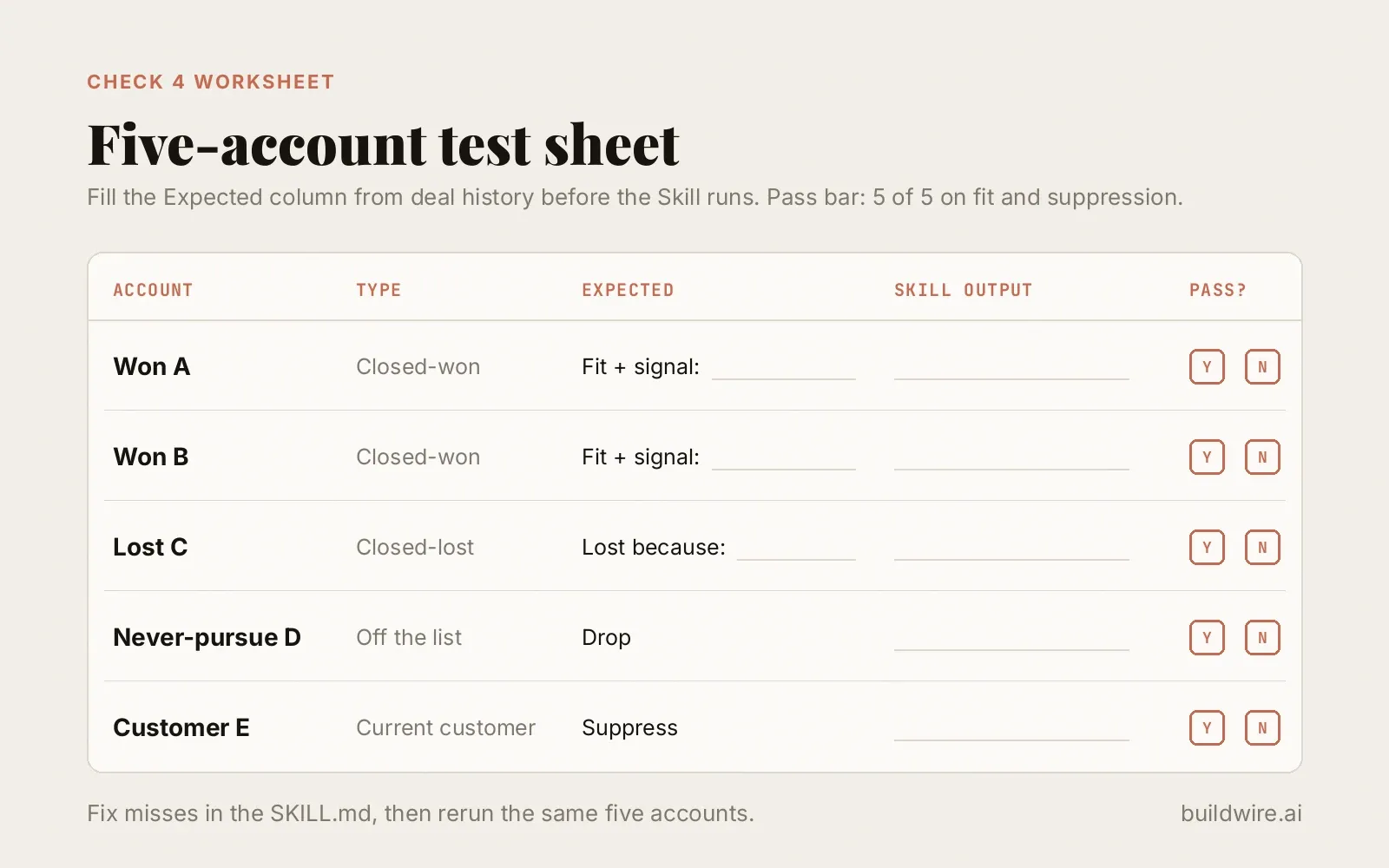 Copy this sheet for Check 4. Fill the Expected column before the Skill runs.
Pull these from real deal history. Sales Intelligence mines call transcripts and deal data for objections, patterns, and win-loss reasons, so each expected answer rests on evidence instead of someone's memory.
Run the Skill and score each result:
| Account | Expected | Skill output | Pass? |
|---|---|---|---|
| Won A | High fit, signal: new VP Growth | High fit, cites the hire | Yes |
| Won B | High fit, signal: pricing page change | Medium fit, missed the signal | Partial |
| Lost C | Fit, lost on budget, so deprioritize | High fit, draft ready | No |
| Never-pursue D | Drop | Medium fit | No |
| Customer E | Suppress | Suppressed | Yes |
Example data: illustrative scoring, not a real account set.
In this case, two misses in five tell you exactly which judgment slot is still wrong. Here, the Skill never learned the no-list and ignores lost-deal reasons. Fix the slot in the SKILL.md itself, since a correction typed into one chat disappears with that chat. Then rerun the same five accounts. When a draft comes back weak and the cause is unclear, Prompt Refiner compares the output with its original instructions and names the missing context.
The pass bar we use is five out of five on fit and suppression, with every claim in the drafts traceable to a source. Draft wording can improve over time. A wrong pick sends a message to the wrong company, and that costs more to undo.
What should you do with a Skill that passes the intake test?
A Skill that passes has changed enough to be your own version. Treat it that way:
- Fork it into your own repo or Skills folder and rename it, for example
acme-event-invite-play, so nobody mistakes it for the marketplace original. - Pin it. Record the source and the version or commit you reviewed, so a later change to the upstream repository cannot alter what your team runs. An update from the author counts as a new install and goes back through Checks 1 and 2.
- Keep the five accounts as its test set, and rerun them after every edit.
- Name an owner at the top of SKILL.md: the person who answers when the Skill does something odd.
This habit also keeps the Skill count low. Anthropic's docs note that before a Skill triggers, "only its name and description occupy context." Each installed Skill still adds a description Claude weighs when it picks which Skill to load. For that reason, one vetted play serves a team better than twenty installed in case they come in handy.
When should you skip a marketplace Skill?
Some Skills should fail the intake. Skip one when:
- it needs write access to your CRM or email sender on day one,
- its scripts call endpoints you cannot identify,
- its judgment slots live in vendor-side logic you cannot read or change,
- or the job is really a scheduled pipeline with branching and retries, which belongs in a workflow tool. The comparison of n8n, Claude Code, and Claude Skills for marketing ops covers where each runner fits.
For Clay in particular, if you want the trigger-and-node version of a play, start from the Clay Workflows blueprints for small revenue teams and use the marketplace Skill as a reference.
How do you start this week?
- Pick the one marketplace Skill your team most wants to try.
- Read every file in its folder and narrow the description.
- Map each tool call: read or write, and whose meter.
- Mark the judgment slots and fill them from your playbook, no-list, and scoring rules.
- Run it on five known accounts and fix the file until it scores five out of five on fit and suppression.
- Fork it, pin the version, name an owner, and keep the five accounts as its test set.
A marketplace can hand you a working play in one command. Your ICP, your no-list, and your thresholds still have to be written into the file by someone who knows your market.
How we checked this guide
We read Clay's launch post and the live marketplace catalog on October 12, 2026, and recorded the Skill and contributor counts that day. The credit-usage detail comes from DailyRevOps' October 2 report. The risk figures come from three 2026 arXiv preprints on Skill registry security, read on arXiv on October 12. Every Anthropic quote comes from the current Agent Skills overview on platform.claude.com. The two tables are labeled example data and do not describe a real Skill or a real account set. We fact-checked every quote and number against its source on October 12, 2026. Claims we could not trace to a primary or named secondary source were removed. More about who writes these guides is on our about page.
BuildWire builds AI agents and automations for marketing and growth teams, and every GTM Skill we build goes through this same intake before it runs on live accounts. You can see what we build on the services page.
If you want a second pair of eyes on a Skill before it touches your pipeline, book a call and we will walk through the intake with you. If a call is too much for now, the contact form takes one line on what you want checked.
Want the GTM and AI workflows we run every week, written up like this one? Subscribe to The AI Driven Marketer newsletter, and follow along as we turn slow marketing jobs into short ones.
Frequently asked questions
How do you check if a Claude Skill is safe?
Read every file in the Skill folder before you install it: SKILL.md, scripts, and reference files. Look for network calls, file access outside the folder, and any step that writes to a CRM or sends a message. Next, map each tool call to read or write and to whose credits it spends. Replace the built-in judgment calls with your own rules. Finally, test the Skill on five accounts where you already know the right answer.
Does Claude check agent Skills before running them?
Anthropic's documentation puts the review on the person installing the Skill. It advises using Skills only from trusted sources, which it defines as ones you created yourself or obtained from Anthropic. For anything else, it says to audit every bundled file. A marketplace's own curation, such as Clay's review before publishing, works as a first filter. Your team still owns the audit.
Do Clay marketplace Skills cost money to run?
Clay describes its marketplace Skills as free to install. DailyRevOps reported on October 2, 2026 that runs which pull Clay data consume the account's Clay credits. Map every metered step before the first run and cap it at a small number of records, such as 25.
What files are inside a Claude Skill?
A Claude Skill is a folder built around one SKILL.md file. The SKILL.md carries a name, a description that tells Claude when to load the Skill, and the instructions. The folder can also hold scripts, reference documents, templates, and images. Anthropic's audit guidance covers all of them.
Can a Claude Skill run code on my machine?
Yes. Anthropic's documentation says Skills give Claude new capabilities through instructions and code. As a result, a malicious Skill can direct Claude to invoke tools or execute code in ways that do not match its stated purpose. A bundled script runs with whatever access your agent has, which is why the intake test treats an unexplained script as an automatic fail.
How many Skills should a GTM team install?
Install the few you have vetted and use every week. Before a Skill triggers, only its name and description sit in Claude's context, yet every installed description is one more option Claude weighs when it picks a Skill. A short list of forked, tested Skills with named owners is easier to trust and maintain than a large folder of untested installs.
Last reviewed 12 October 2026. Source review date supplied in the publication pack. Example tables are illustrative.
