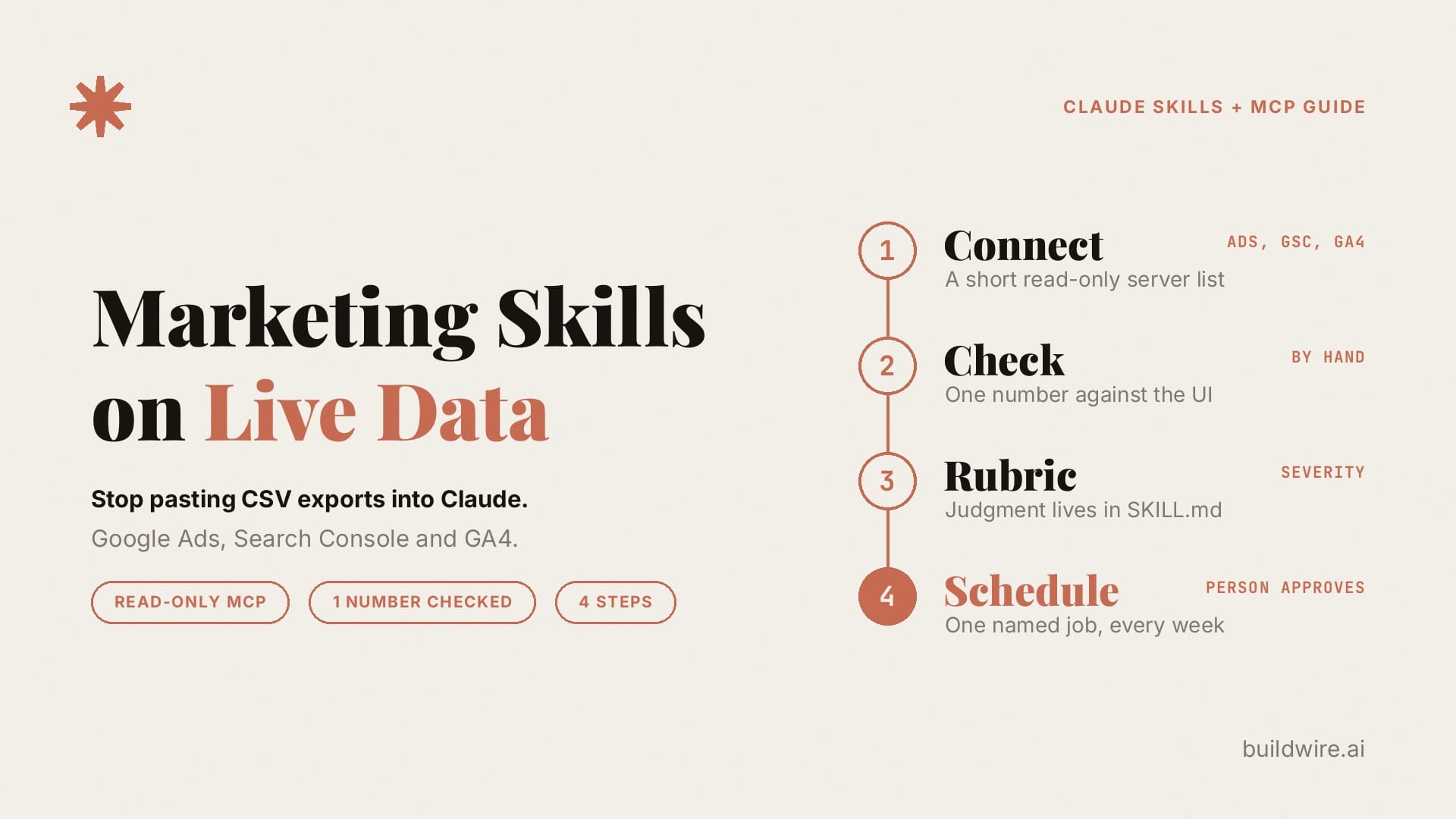
A Claude marketing Skill that reads a pasted CSV is out of date as soon as you export the file. One way to reduce that gap is to pair the Skill with read-only MCP servers for Google Ads, Search Console and GA4. Check one number by hand, write the scoring rubric into the Skill, and run one named job on a schedule. A person still approves every change.
Most teams install a marketing Skill and then feed it last week's export, and the first run looks fine because the table is neat. By the next run the account has moved, someone dropped a column, and two teammates pasted different date ranges, so the team has a nicer way to re-prompt while the inputs remain manual.
What is a live-data Claude Skill?
A live-data Claude Skill is a Skill that fetches current numbers through an MCP server before it judges them, so each run works from the account as it is today. It has three parts:
- The MCP server pulls the numbers from Google Ads, Search Console, GA4 or your CRM.
- The Skill holds the judgment: definitions, severity rules, the order of checks and what a good result looks like.
- The output is a ranked action list with evidence for each line.
Anthropic draws the same line between the two tools in its guide to Skills and MCP: "MCP handles connectivity", while Skills "provide the context Claude needs to use those connections effectively." In short, MCP gives Claude access, and the Skill teaches Claude what to do with that access every time.
Two more terms help. An MCP server is a small program that exposes a tool's data to Claude through the Model Context Protocol. A Skill is a folder with a SKILL.md file of instructions that Claude loads when a request matches its description.
Why do pasted CSV exports break marketing Skills?
A pasted export has three weak points:
- It is stale, because the file shows the account on the day someone exported it.
- It varies, because each person picks a slightly different date range, set of columns or account view.
- It hides the source, so the Skill cannot tell which account or property the numbers came from.
A connector can reduce these problems when the Skill specifies the account, fields and reporting window. The workflows below use connector data first, with an export fallback.
How to connect a Claude Skill to live marketing data: four steps
Key takeaway: the connector supplies fresh numbers, the Skill supplies the judgment, and a person approves every change. Consider a weekly Google Ads review as the running example.
Step 1: Choose a short list of read-only MCP servers
List the MCP servers this job may use, and start with read-only access:
| Data source | Official MCP server from Google | Access |
|---|---|---|
| Google Ads | google-ads-mcp | Read-only in the current release |
| GA4 | google-analytics-mcp | Uses the analytics read-only scope |
| Search Console | No official server found in our October 9, 2026 check | Use a community server, or export as a fallback |
Google's Ads documentation says plainly that the server "is strictly read-only. It cannot modify bids, pause campaigns, or create new assets." If you use a community Search Console server, read its code and scopes before you connect it.
Keep the list as short as the job allows, because Anthropic's engineering team notes that "more tools don't always lead to better outcomes" in its guide to writing tools for agents, and loaded tool definitions use context, with loading behavior depending on the client and settings. Add Meta Ads or HubSpot only when a named Skill needs them.
Claude's connector settings enforce the list, because a Skill file cannot restrict which servers are available. Connect only the servers on your list, and, on Team and Enterprise plans, organization owners can set connector actions to Always allow, Needs approval or Blocked, as the Help Center explains in its article on using connectors. If you already set up the Claude marketing plugin, our plugin setup guide covers how to trim its connector file.
Google also publishes its own Google Ads API agent skills, which "are designed to complement the Google Ads API Model Context Protocol (MCP) server." They help with queries and setup, while your marketing Skill adds the business judgment on top.
Step 2: Check one number by hand
Before you trust any output, ask Claude to retrieve one metric you already know precisely. Good choices are yesterday's Google Ads spend, last week's Search Console clicks, or GA4 sessions for a known landing page. Then open the platform interface and compare the two figures.
If the numbers do not match, stop and fix the connector, the account or property ID, or the time zone before you write anything else. A weekly audit built on an incorrect data feed produces confident recommendations built on incorrect numbers.
Step 3: Write the rubric into SKILL.md
A live data pull without a rubric gives you a dashboard in chat form. Put the judgment in the Skill:
- Definitions. What counts as a conversion, which attribution window you use, and whether spend includes fees.
- Windows. Use complete days: last 7 versus the previous 7, or last 28 versus the prior 28. GA4 warns that "Data processing can take 24-48 hours," so leave the last day or two out of GA4 comparisons (source).
- Severity. For example: search terms with $25 or more spend and zero conversions are high; CTR below one percent with 100 or more impressions is medium.
- A good result. A ranked table, the estimated cost or opportunity where you can calculate it, and a short split between this week and this month.
- Guardrails. Access stays read-only, and the Skill proposes changes and never applies budget edits, negative keywords or pauses on its own.
The guardrail follows the same read-and-propose pattern as our Measurement Desk post.
Write the Skill's description carefully. Anthropic's Agent Skills overview explains that Claude uses the description to match requests to Skills. Name both the task and when the Skill should run, including data sources and likely request phrases.
Step 4: Run one named job on a schedule
Pick one recurring job and put it on the team calendar, such as a weekly waste scan. Here are three starters built from free BuildWire Skills:
Weekly paid waste scan. Load Google Ads Weekly Audit and Search Terms Analyzer. Pull the last 7 or 28 days through the Google Ads MCP server and rank wasted spend. Then pass the proposed negatives to Negative Keyword Miner for a clean import list. A person then imports or rejects the list.
Weekly or monthly SEO pulse. Load GSC Data Interpreter and SEO Monthly Report Generator. Pull Search Console and GA4 data. Rank pages by change in clicks or sessions, flag CTR gaps, and write a short action plan. For AI referral traffic, use the GA4 channel from our AI traffic guide and do not let the Skill invent its own rules.
Campaign diagnostic when a metric spikes. Load Campaign Analytics and Ad Performance Diagnostic. Run it when CPA or ROAS moves past your threshold. The Skill checks spend, conversion volume, and creative or query changes, then says which cause has evidence behind it.
To get each set at once, the Paid Advertising, SEO and Analytics and Conversion packs are available in the BuildWire Claude Skills library.
What should the output of a live-data Skill look like?
Reject a run that only describes the account, and accept a run that looks like the table below. These rows are illustrative example data:
| Priority | Finding | Evidence (window) | Proposed action | Owner |
|---|---|---|---|---|
| 1 | Search theme "free trial crack" spent $412 with 0 conversions | Ads search terms, last 28 days | Add phrase negatives and review match types | Media buyer |
| 2 | /pricing CTR fell 1.8 points week on week at a stable position | Search Console page and query, last 7 vs prior 7 | Test the title and meta description, check SERP features | SEO |
| 3 | The paid /demo landing page has below-average engagement | GA4 landing page plus google / cpc, last 28 days | Check message match before adding spend | Growth |
Every row needs a reporting window and a named data source. If the Skill cannot pull a field, it writes "not available" instead of guessing, and the arithmetic belongs in the tool or a script wherever possible, so the Skill can concentrate on ranking and explanation.
When should you still use CSV exports?
Keep a paste path for accounts where MCP is blocked by policy or not yet approved. Label that output "export-based, as of [date]" so nobody treats a three-day-old file as live. When the connector works, the Skill calls it first and asks for an upload only if the connector fails.
Which failure modes should the Skill handle?
- Wrong account or property. A Search Console site URL or GA4 property ID mismatch. Step 2 catches this.
- Micros. The Google Ads API reports money "in micros. One million is equivalent to one unit," per Google's Money reference. Divide cost_micros by 1,000,000 before any table a person reads.
- Partial days. Leave out today, and for GA4 the last day or two, unless you want an in-progress view.
- Write access too early. Keep connectors read-only for several weeks, while the Skill proposes negatives and budget moves for a person to apply.
- A vague description. Name the job, the data sources and the trigger phrases, or the Skill will not load when it should.
How does this fit with our other Claude guides?
This guide assumes you have already chosen Skills as the place your automation lives. If you have not, start with our comparison of n8n, Claude Code and Claude Skills. For the connector setup itself, see our guides to connecting GA4 to Claude and connecting Claude to Google Ads.
How we checked this guide
The linked Google and Anthropic documentation was checked on October 9, 2026. Product claims come from Anthropic's and Google's own documentation. The rubric thresholds and the sample table are illustrations for you to adapt, and none of them come from a client account. Spotted a different result in your setup? Contact us so we can check it. You can also read about BuildWire.
If you want a live-data audit Skill built for your accounts, book a call and tell us which weekly report you still build by hand.
Want the marketing agent setups we build every week, written up like this one? Subscribe to The AI Driven Marketer newsletter, and follow along as we turn slow marketing jobs into short ones.
Frequently asked questions
What is the difference between Claude Skills and MCP?
MCP connects Claude to a tool's data, and a Skill tells Claude how to use that data. For a marketing audit, the MCP server pulls Google Ads or GA4 numbers, and the Skill holds the definitions, severity rules and output format.
Is there an official Google Search Console MCP server?
We did not find one in our October 9, 2026 check. Google publishes official MCP servers for Google Ads and Google Analytics. For Search Console, use a community server after you review its code and scopes, or fall back to an export.
Can a Claude Skill change my Google Ads campaigns?
Not with Google's official Ads MCP server, which is read-only in its current release. Keep it that way for audits, so the Skill proposes changes and a person applies them inside Google Ads.
How many MCP servers should a marketing Skill use?
As few as the job needs, usually one to three. Loaded tool definitions use context, and more available tools can make tool choice harder. Loading behavior depends on the client and settings.
Do I still need CSV exports?
Only as a fallback for accounts where a connector is blocked or not yet approved. Label any export-based output with its date, so nobody mistakes an older file for live account data.
Last reviewed 9 October 2026. Google and Anthropic documentation checked on 9 October 2026. Example thresholds and data are illustrative, not client results.
