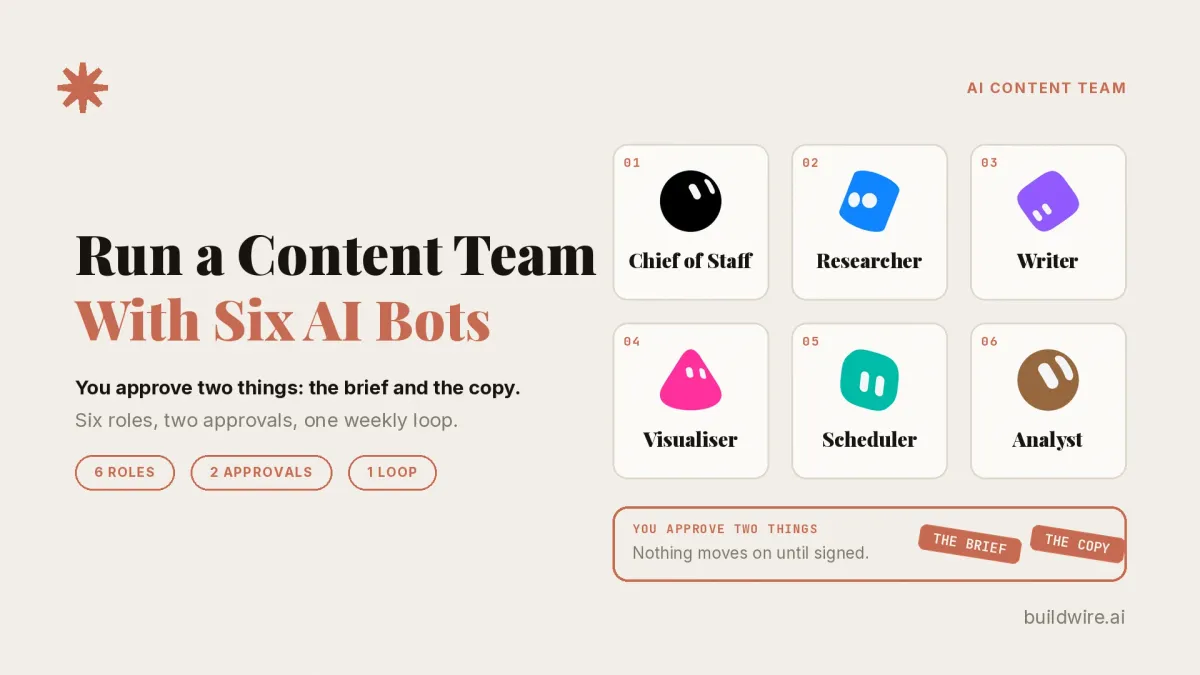

Six Grok Bots run my content team. I approve only two things: the brief and the copy. The Bots handle research, writing, visuals, scheduling and analysis between those two points.
This guide is for marketers and founders who want to see how the setup works and build the same one. If you came here from my LinkedIn post, Six Grok Bots run my content team, this is the full breakdown. Below are the six roles, the two approvals, how the week flows and a template for each Bot.
Content marketing automation is software that runs repeatable content steps, such as planning, writing, designing and posting, while people keep the decisions. To decide what to automate first, use the marketing automation hierarchy. It is BuildWire's framework for which marketing tasks to hand to AI and which to keep human.
Claude Code is Anthropic's AI coding assistant that runs in the terminal, IDEs, a desktop app and the web.
Codex is OpenAI's tool that you can run from your terminal and scripts.
What are the six roles in an AI content team?
Each Bot has one job and one handoff.
| Bot | Job | Hands off |
|---|---|---|
| Chief of Staff | Keeps the work moving | Both decisions, to me |
| Researcher | Finds topics, with sources | A brief for my approval |
| Writer | Turns an approved brief into copy | Copy for my approval |
| Visualiser | Makes images from approved copy | Images for the final package |
| Scheduler | Suggests time slots, prepares the final package | The package, to Codex to post |
| Analyst | Compares results across posts | A results comparison for the next brief |
Chief of Staff

What it does: Keeps the work moving and brings decisions to me. It runs across every stage of the loop.
What it hands off: The two decisions, the brief and the copy. Each one reaches me when it is ready. Everything else keeps moving without me.
Researcher

What it does: Finds topics, with sources.
What it hands off: A brief for approval. Nothing moves to the Writer until I sign off on what the Researcher found.
Writer

What it does: Turns an approved brief into copy. The writing runs in Claude Code. To see a Claude-based writing setup on its own, read How to run a solo content system with Claude skills.
What it hands off: Draft copy for approval. This is the second gate.
Visualiser

What it does: Makes images from the approved copy, never from a draft.
What it hands off: Images made from the approved words, ready for the final package.
Scheduler

What it does: Suggests time slots and prepares the final package.
What it hands off: The finished package goes to Codex, which posts it.
Analyst

What it does: Compares results across posts.
What it hands off: A results comparison that feeds the next brief. Each loop starts with what the last one showed.
Which two things do I approve?

The brief. The Writer starts only after I approve what the Researcher found. This gate comes first because the topic decides everything after it. A wrong topic turns every later step into wasted work. So nothing gets written until I approve the topic.
The free SEO content brief generator Skill can help with structure. It turns a query, audience and SERP evidence into a brief for review.
The copy. The Visualiser works only from copy I have approved. This gate comes second because images follow words. Visuals made from a draft would need redoing after any copy change. So nothing gets illustrated until I approve the words.
The Chief of Staff brings both decisions to me. It also keeps the rest of the week moving, so I don't manage the handoffs in between.
How does the week flow?
The work runs as a weekly loop in seven stages. The Chief of Staff runs across all of them.
- Research. The Researcher finds topics, with sources.
- Brief approval. The Chief of Staff brings me the brief. Nothing gets written until I approve it.
- Writing. The Writer turns the approved brief into copy in Claude Code.
- Copy approval. The Chief of Staff brings me the copy. Nothing gets illustrated until I approve it.
- Visuals. The Visualiser makes images from the approved copy.
- Scheduling and posting. The Scheduler suggests time slots and prepares the final package. Codex posts it.
- Analysis. The Analyst compares results across posts and feeds the next brief.
After stage 7 the loop goes back to stage 1.
How do you automate content without giving up control?
The design rule is simple. Automate the handoffs and keep a human where a mistake is expensive. Passing a brief to a writer or copy to a designer is not a judgment call. A Bot can do it.
Picking the topic and signing off on the words are judgment calls. Those two decisions shape everything after them, so a person makes both. A team of AI marketing agents stays useful only when the human decisions sit at the expensive points. You don't review every step. You review the two steps that decide whether the other steps are worth doing.
We analyzed 13 related phrases with DataForSEO on 28 Oct 2026. People search for the process more than the label. "Content marketing automation" gets 170 searches a month in the US (difficulty 15). "AI marketing team" gets 90 (difficulty 12). "Content approval workflow" gets 70 (difficulty 5). "AI content team" gets 10.
How do you build the same AI content team?
The six Bot setups are packaged so you can build the same AI content team. Start with any role. To see what Grok Bot suits before you start, read Grok Bot for Marketing Teams.
| Bot | What it does | Template |
|---|---|---|
| Chief of Staff | Keeps the work moving | Chief of Staff template |
| Researcher | Finds topics, with sources | Researcher template |
| Writer | Turns an approved brief into copy | Writer template |
| Visualiser | Makes images from approved copy | Visualiser template |
| Scheduler | Suggests time slots, prepares the final package | Scheduler template |
| Analyst | Compares results across posts | Analyst template |
If you would rather have it built for you, see BuildWire's content and creative services.
To cut the guide into short clips and snippets, the free content repurposing engine Skill is one place to start.
Six roles, two approvals, one loop. If you want help setting up your own team, book a call.
BuildWire builds AI agents and automations for marketing and growth teams. Read more about us.
Want the content workflows we run every week, written up like this one? Subscribe to The AI Driven Marketer newsletter, and follow along as we turn slow marketing jobs into short ones.
Frequently asked questions
Do I need all six Bots?
Not on day one. The two approvals matter more than the number of Bots. For example, start with the Researcher, the Writer and your two approvals.
What does the Writer run in?
Claude Code. The Writer turns an approved brief into copy there.
Who posts the content?
The Scheduler suggests time slots and prepares the final package. Codex posts it.
Can I see your workspace?
No. It holds drafts and account access, so screenshots are not shared. The templates give you the same setup.
Where do I start with content marketing automation?
Start with the two approvals, then add Bots around them. Each new Bot takes one job and one handoff.
What is the difference between the brief and the copy approval?
The brief approval decides the topic before any writing starts. The copy approval decides the words before any images are made.
How I checked this guide
I wrote this guide from my LinkedIn post of 27 Oct 2026, so the roles, the tools and the two approvals match it. I checked the six template links, the docs links and the internal links on 28 Oct 2026. The keyword data comes from one DataForSEO pull for the US on 28 Oct 2026.
Editorial review: Rananjay Raj reviewed this guide before it went live. To report an error, use our contact page.