What are Claude Projects?
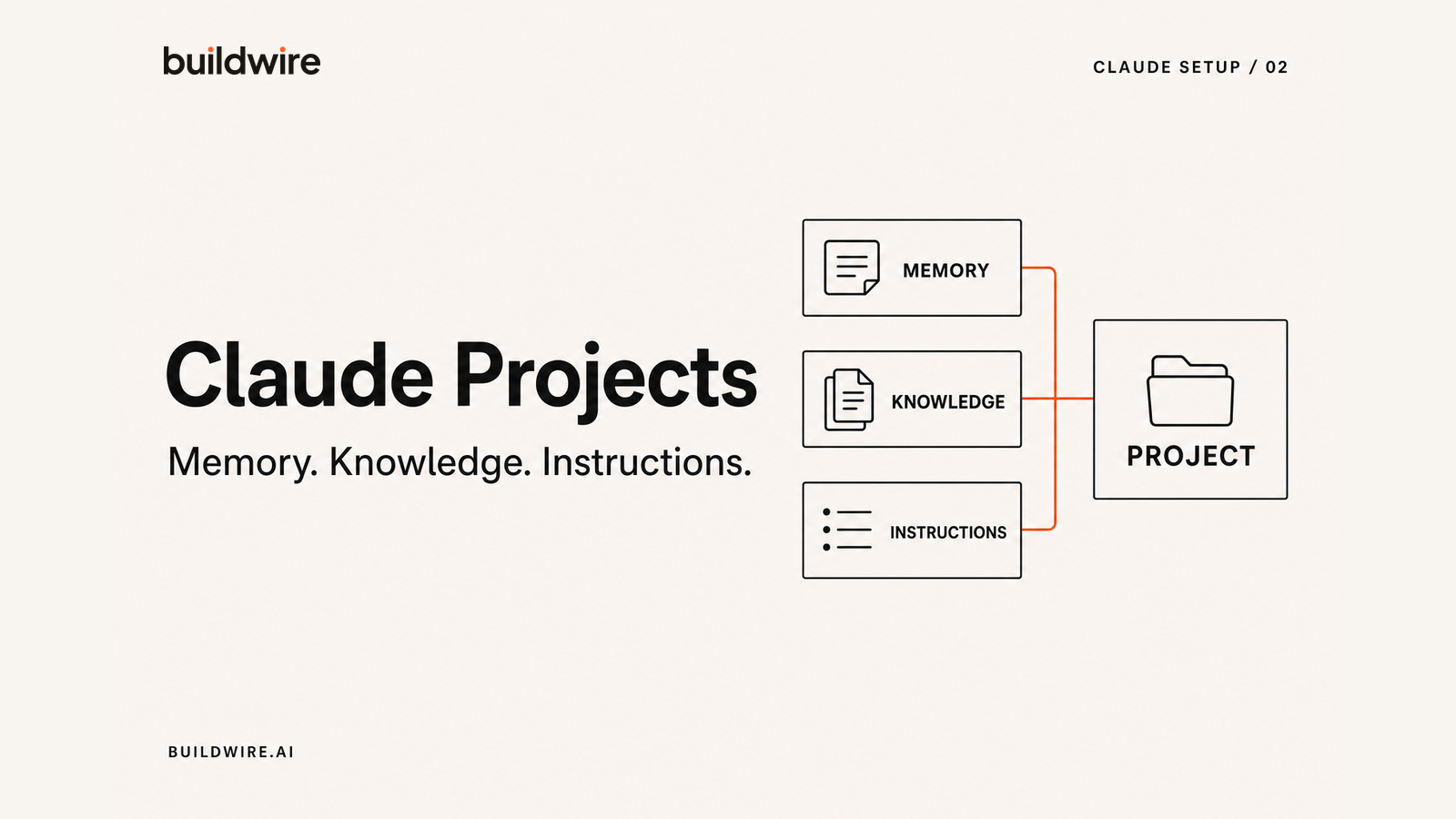
Claude Projects are dedicated workspaces in Claude Chat with their own conversations, knowledge base, instructions, and separate Memory. They are built for recurring work where Claude needs the same context more than once.
Use a Project for research, analysis, drafting, or decisions tied to one business, client, or topic. If the task ends with a file that must exist on your computer, Claude Cowork is the better choice.
How to set up Claude Projects
Create a Project, not another chat
A Project is a workspace with its own chat history and its own knowledge base. Anything you put in that knowledge base is available to every conversation inside the Project, and nowhere else.
In the sidebar choose Projects, then create one. Make one per recurring context rather than per task. We run separate Projects for content, client work, and internal operations.
Projects are on every plan, including Free.
Load the knowledge base with primary sources
This is where most of the quality comes from. Upload the documents Claude would need to behave like someone who already works with you:
- Brand or voice guidelines, if they exist
- Three to five strong examples of the output you want, which teach more than any description of tone
- An ICP or audience document
- Product or service descriptions with real specifics
- Anything you find yourself re-explaining
Examples beat adjectives. Telling Claude to be "punchy and conversational" is far weaker than giving it five things you already wrote.
Write the project instructions
Project instructions apply to every chat in that Project. This is where role, rules, and constraints live. The template below is the one we use.
Turn on Memory and check what it holds
Memory lets Claude carry context between conversations, so you stop reintroducing your business every Monday. Each Project keeps its own separate memory, and chats outside Projects get a general summary that refreshes daily.
Two things worth doing: open Settings and read what Memory has actually stored, since it is editable and occasionally wrong. And use Incognito chat for anything you do not want retained.
Memory needs a paid plan.
Pick a model and stop fiddling
Claude Sonnet 5 is the default on Free and Pro and handles most drafting well. Claude Opus 5 is the strongest option on Pro and the default on Max, and it is worth switching to for genuinely hard analysis. Reaching for a bigger model rarely fixes a thin prompt.
Claude Projects vs Memory: what is the difference?
A Project is a workspace you create and control. Memory is the context Claude carries forward from earlier conversations. Projects are deliberate containers. Memory is recall.
Project knowledge holds the files you choose to upload. Project instructions hold the rules you want applied every time. Project Memory keeps useful context from conversations inside that Project separate from other work. You can use Projects without Memory, and Projects are available on the Free plan. Memory needs a paid plan.
Claude project instructions template
Paste this into your Project instructions and edit the bracketed parts. It works because it gives Claude a role, the audience, hard rules, and an explicit instruction to ask before guessing.
# Role
You are working as part of [COMPANY], [one line on what the company does].
You are writing for [AUDIENCE: who they are, what they already know,
what they care about].

# What good looks like
- [Specific quality bar, e.g. "Every claim has a number or an example
  behind it"]
- [Format default, e.g. "Short paragraphs. No walls of text."]
- Match the voice in the examples in project knowledge. Those examples
  are the standard, not a suggestion.

# Hard rules
- Never use these words: [your banned list]
- No em dashes. Use hyphens, colons, or full stops.
- Do not open with a throat-clearing summary of what you are about to do.
  Start with the substance.
- If you are not confident about a fact, say so plainly instead of
  writing around it.

# Context you should assume
- [Your product or service in two lines]
- [Your ICP in one line]
- [Anything you re-explain constantly]

# How to work with me
- If my request is ambiguous in a way that changes the output, ask one
  clarifying question before starting. Do not guess and produce 800 words
  in the wrong direction.
- When you finish a draft, tell me the weakest part of it.
- Give me the direct answer first, then the reasoning. Not the reverse.
The last three lines do more than the rest combined. Asking before guessing prevents wasted drafts. Asking Claude to name the weakest part turns it into an editor. And answer-first ordering saves reading time on every single response.
How to use Claude Projects effectively
1. The rewrite loop
Put your five best pieces in project knowledge. Then paste a rough draft and ask: rewrite this so it matches the voice in the project examples, and list what you changed and why. The change log is the useful part. After a few rounds you learn your own patterns and the drafts get closer to right the first time.
2. The critique pass
Instead of asking Claude to write, ask it to attack. Give it a finished piece and ask for the three weakest claims and what a sceptical reader would push back on. This gets far more value out of Chat than another draft.
3. The standing research brief
Create one Project per topic you track. Drop in sources as you find them. When you need a view, ask inside that Project, and Claude answers against everything you have collected rather than general knowledge.
We build these systems for marketing teams
Tell us the repetitive marketing work eating your week. We will map the system and tell you what is worth building.
Book a callFrequently asked questions
What is the difference between Projects and Memory in Claude?
A Project is a workspace with its own knowledge base and chat history, and you control what goes into it. Memory is automatic recall of context from your past conversations. Projects are deliberate, Memory is passive. Each Project also keeps its own separate memory. Projects work on every plan including Free, while Memory needs a paid plan.
Are Claude Projects available on the free plan?
Yes. Projects and project knowledge are available on all plans, including Free. The retrieval system that expands knowledge capacity for large project bases also works on Free. Memory is the feature that needs a paid plan.
How many documents can I put in a Claude Project?
Enough for normal use. When a project knowledge base approaches the context limit, Claude automatically switches to a retrieval mode that expands effective capacity by roughly ten times, with no setup. In practice the constraint is relevance, not volume: a focused set of strong examples outperforms a large dump of loosely related files.
Can Claude Chat edit files on my computer?
No. Claude Chat works with files you upload, and it can generate files for download, but it does not have access to your local folders. Working directly on files and folders on your machine is what Claude Cowork does.
Should I use Claude Chat or Claude Cowork?
Use Chat when the output is an answer, a decision, or a short piece of writing. Use Cowork when the output is a file that needs to exist on your computer, or when the task involves reading across many local documents. If you find yourself copying Claude's output into Word and reformatting it, that is a Cowork task.
Does Claude remember previous conversations?
With Memory turned on, yes. Claude carries context across chats, with each Project holding its own memory and non-project chats sharing a summary that refreshes daily. Memory is editable in Settings, and Incognito chat skips it entirely.
Last reviewed 31 July 2026 against Anthropic's published documentation.
